
















Easy iOS Video Editing With the Clideo Video Editor Today
Editing videos used to feel like a job reserved for people with fancy computers and endless patience. That’s no longer the case. If you own an iPhone or iPad, you already carry a small studio in your pocket, and a tool like the Clideo video editor lets you trim, caption, and share clips without wrestling through a tangle of confusing menus. For anyone who wants to post more and stress less, that shift changes everything about how you make videos.
This article walks through what easy editing actually looks like on a phone, the tasks most people need, and how to pick a tool that fits the way you already work. No jargon, no film-school assumptions. Just practical help.
Why Simple Editing Matters More Than Fancy Features
Most creators don’t need a hundred effects. They need to cut a clip, drop in some text, and get it online before the moment passes. When an app is easy to use, you finish projects instead of abandoning them. That’s the real win. A polished editor you never open helps no one, while a plain tool you enjoy keeps you posting week after week.
Ease of use also lowers the fear factor. Beginners often quit because the software feels intimidating. Remove that wall, and suddenly editing becomes something you look forward to rather than a chore you keep putting off.
What “Easy” Really Means
Easy isn’t only about big buttons. A friendly editor usually shares a few traits:
- You can find the trim tool within seconds of opening a project.
- Adding music or text takes taps, not a tutorial.
- Exporting your video doesn’t hide behind five confusing settings.
- Mistakes are simple to undo.
If an app checks these boxes, you’re in good shape.
Common Editing Tasks You’ll Actually Use
Let’s be honest about what most videos need. You’ll rarely touch advanced color wheels or complex audio mixing. The everyday jobs are far more modest, and a good mobile editor handles them without fuss.
Trimming and Cutting
This is the heart of editing. You shave off the boring start, cut the awkward pause, and tighten the pacing. Being able to make quick cuts, right where you want them, matters more than any flashy filter.
Adding Text and Captions
So many people watch videos on mute. Clear captions and on-screen text keep viewers with you even when the sound is off. Look for text tools that are readable and easy to place where you want them.
Music and Sound
A little background music sets the mood fast. The best tools let you add a track, adjust its volume against your voice, and trim the audio to match your clip length without a headache.
Resizing for Different Platforms
A square post, a vertical story, a wide video for a website. Each one wants a different shape. An editor with ready-made size presets saves you from guessing dimensions every time.
Editing Where You Filmed
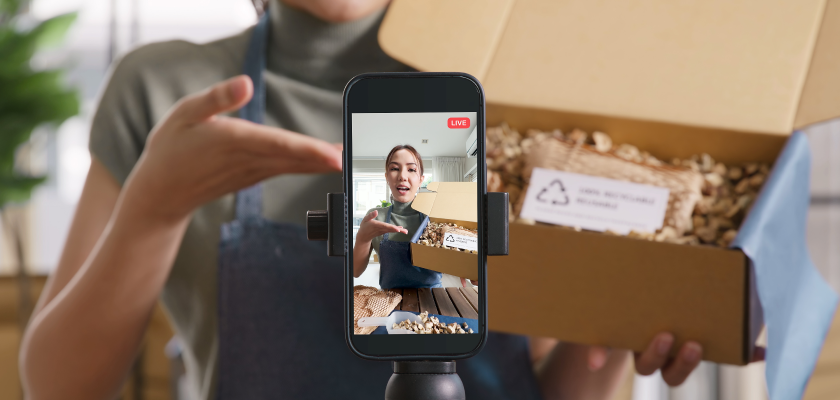
Here’s a quiet advantage worth mentioning. When you edit on iOS, your footage already lives on the device you filmed with, so there’s no fiddly transfer between a camera, a laptop, and back again. You shoot, you open your editor, and you’re working with the clips in seconds. That closeness between filming and editing keeps your ideas fresh. You remember why a moment mattered while it’s still new in your mind, and that usually leads to sharper storytelling. Small conveniences like skipping file transfers add up fast over a busy week of posting.
Who Benefits From Easy Mobile Editing
Almost anyone making videos can gain something from mobile editing, but some groups benefit from it more than others. Everyday creators posting on social media can keep up with fast-moving trends by editing clips whenever they have a free moment, even during a coffee break instead of waiting until they are back at a desk. Small business owners can also film a new product, add a caption, and share a promotion without hiring a professional. For a local shop or café, a phone and a simple editing app can cover most of the content they need to create. Hobbyists and families can benefit too, especially when they want to turn vacation clips or birthday recordings into polished memories without dealing with complicated software. They usually need a quick and simple tool that helps their videos look clean and appealing.
How Beginners Can Choose the Right Tool
Picking an editor shouldn’t feel like a research project. A few honest questions will point you toward the right fit.
Match the Tool to Your Habits
Think about how you actually post, not how you imagine you might. If you make quick vertical clips, a fast app with templates suits you. If you’re building longer tutorials, you’ll want more control over timing and audio. Be realistic about your skill level too.
Test Before You Commit
Most editors offer a free version. Make a real project with it, not a throwaway test. You’ll learn more in five minutes of hands-on use than in an hour of reading reviews. An app that looked perfect might annoy you the moment you start tapping around.
Watch the Costs
Many apps charge monthly, and those fees pile up if you collect several. Some also stamp a watermark on free exports or quietly shrink your video quality. None of these are dealbreakers, but you should know before you build your routine around a tool.
Stick With One Main App
Jumping between editors every week keeps you a permanent beginner. Choose one you like, learn it well, and your videos will get faster to make and more consistent in style. That steadiness shows in your finished work.
Final Takeaways
Easy video editing on your phone comes down to a few simple ideas. Pick a tool you enjoy opening, focus on the everyday tasks like trimming, captions, and resizing, and stop chasing features you’ll never use.
Here’s your quick next step: test one free editor this week by finishing a real, short project from start to export. The creators who improve fastest aren’t the ones with the fanciest apps. They’re the ones who spend less time picking tools and more time making videos. Start small, keep it simple, and post more often.