















The 7 Best Marketing Automation Tools for Small Businesses (2026)
Marketing automation used to mean one thing: scheduling emails so nobody had to hit send by hand. That definition is too narrow for how small businesses actually market themselves today. A five-person company might need automated email sequences, a steady drip of social posts across three platforms, and a way to keep a lead list fresh without anyone copying and pasting data all day. Buying three unrelated tools to cover that ground burns budget and hours a small team doesn’t have. Marketing also competes with admin work for those same hours, which is why some owners hand off filings, compliance deadlines and paperwork to an AI assistant like ZenBusiness Velo so their time goes into growth instead.
This guide covers 7 of the best marketing automation tools for small businesses in 2026, spanning email marketing automation, social media scheduling, and the data workflow automation that increasingly feeds both. Each tool is reviewed on its own terms, with real pricing pulled from the vendor’s current pricing page, so you can build a stack that matches what your business actually does instead of forcing everything into a single “all in one” platform that does none of it particularly well.
What Is Marketing Automation Software?
Marketing automation software is any tool that replaces a manual, repeated marketing task with a rule-based or scheduled workflow. That definition covers more ground than most buying guides admit, and treating it as one narrow category is part of why small businesses end up with the wrong tool. It isn’t just email, even though most search results and comparison articles quietly assume it’s.
Three distinct types of automation fall under the marketing automation umbrella, and a small business often needs more than one:
- Email marketing automation sends the right message to the right contact based on a trigger, such as a signup, an abandoned cart, or a date on the calendar. GetResponse and Constant Contact both fall into this category, though they weight ecommerce lifecycle marketing versus simple first-campaign setup differently.
- Social media scheduling and engagement automation queues posts across platforms, recycles evergreen content, and routes incoming comments and messages into one inbox so a small team isn’t logging into five apps a day. Recurpost and Agorapulse are built specifically for this job.
- Data and workflow automation pulls information from the web or other systems and feeds it into the tools above, so lead lists, competitor pricing, or contact records stay current without manual research. Apify is a web scraping and automation platform, not an email tool, and it doesn’t send marketing messages itself. Its role in a small business marketing stack is building and refreshing the lead lists, pricing data, or content research that an email or CRM tool then acts on.
None of this means every business needs all three categories at once. A solo ecommerce owner might only need email automation. An agency managing client social accounts needs the scheduling tools far more than email, but that doesn’t make the email tools irrelevant to them, it just means priority comes first. The list below is organized so you can match the category to the job instead of assuming one platform has to do everything.
The 7 Best Marketing Automation Tools, Compared
Pricing changes often and most vendors adjust rates by contact count, send volume, or results extracted, so don’t treat the figures above as final, confirm the exact number for your list size or workload on the vendor’s own pricing page before you commit.
In-Depth Reviews: The 7 Best Marketing Automation Tools for 2026
1. GetResponse: Best for Ecommerce Brands and Revenue-Focused Lifecycle Marketing
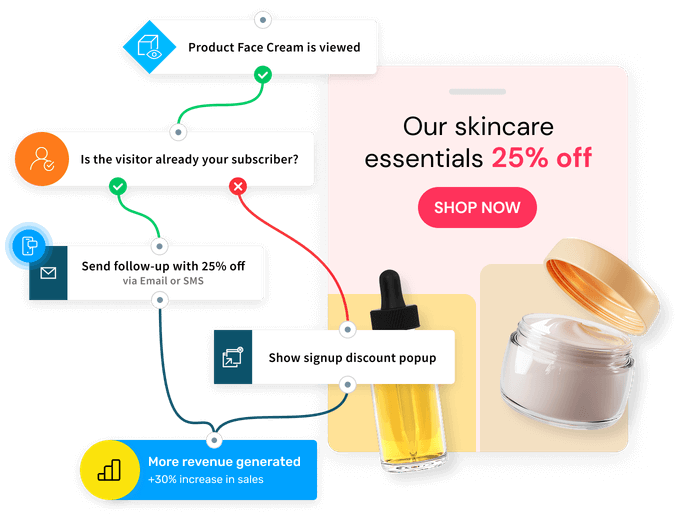
GetResponse is an email marketing and automation platform built for businesses that want to manage customer communication, ecommerce campaigns, and lifecycle marketing from a single place rather than stitching together separate tools for email, landing pages, and popups. Behavior-based workflows cover the usual lifecycle stages, welcome sequences, lead nurturing, abandoned cart recovery, and post-purchase follow-ups, and the ecommerce layer ties campaigns directly to revenue instead of leaving a small business to guess which email actually drove a sale.
Pros
- Ecommerce automation, including abandoned cart recovery, promo codes, and product recommendations, comes built in rather than requiring a separate integration.
- Advanced segmentation targets contacts by behavior, purchase history, engagement, and custom scores, not just list membership.
- Multichannel reach extends beyond email to landing pages, signup forms, popups, and web push notifications from the same account.
- Revenue reporting connects a specific campaign to the sales it generated, useful for a small team that needs to justify the tool’s cost.
Cons
- The entry Starter plan limits automation to one workflow, so real branching logic isn’t available until the Marketer tier.
- Pricing is listed in euros on the vendor’s own page, which adds a currency-conversion step for US-based buyers.
- SMS and mobile push notifications are reserved for the Enterprise tier, out of reach for most small businesses.
Pricing
- Starter: from roughly €16/month for 1,000 contacts, scaling with list size.
- Marketer: from roughly €54/month for 1,000 contacts, adds unlimited automation workflows and abandoned cart recovery.
- Creator: from roughly €62/month for 1,000 contacts, adds webinars and a website builder.
- Enterprise: custom quote, adds SMS marketing and single sign-on.
- 14-day free trial, no credit card required.
2. Constant Contact: Best for Small Businesses Sending Their First Automated Campaigns
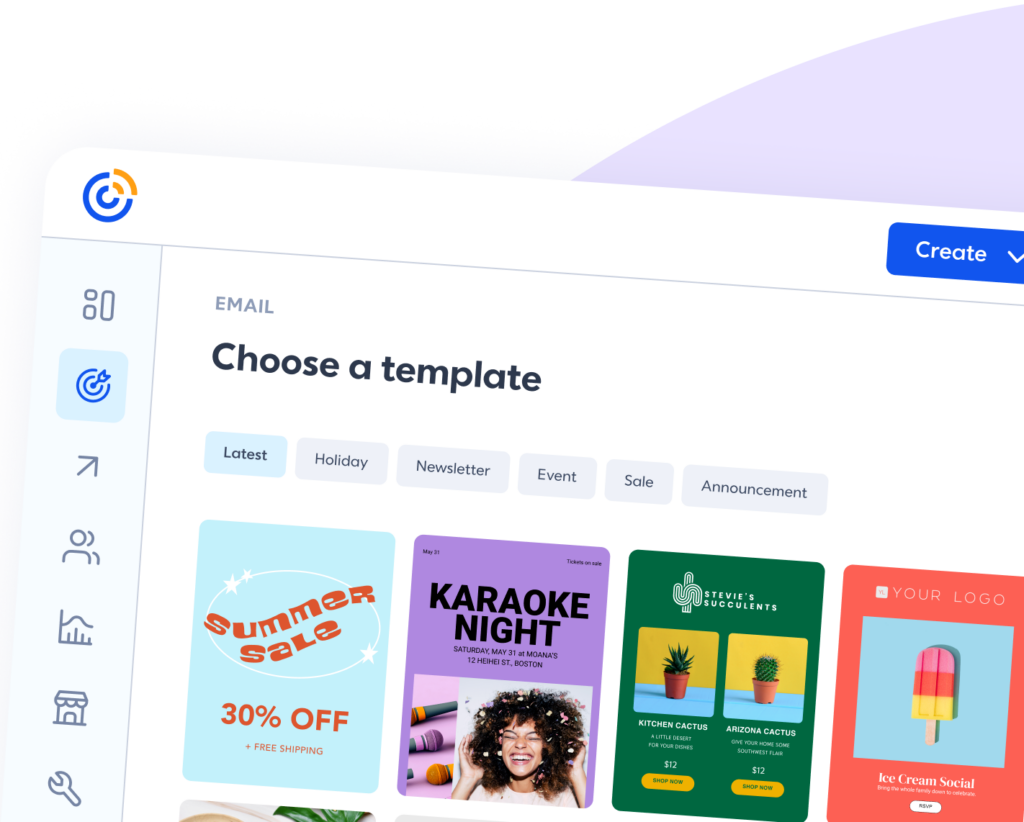
Constant Contact has spent over two decades building a reputation as the email tool that a non-technical small business owner can set up without help. Automation here stays intentionally simple: welcome series, birthday emails, and abandoned cart reminders cover the requests most small businesses actually make, without the branching logic that can overwhelm a first-time user.
Pros
- Live phone support is available, which matters for owners who would rather call than read documentation.
- List segmentation, event marketing, and social media posting live in the same account as email.
- Onboarding is built for someone setting up automated email for the first time.
- Nonprofits qualify for a discounted rate.
Cons
- Automation sequences stay basic. Advanced triggers, such as tagging a subscriber after a specific site visit, aren’t part of the toolset.
- There’s no permanent free plan, only a free trial.
- Price climbs quickly once a list passes a few thousand contacts.
Pricing
- Lite: from $12/month for 500 contacts, covers basic automated emails and list management.
- Standard: from $35/month for 500 contacts, adds segmentation, automation, and A/B testing.
- Premium: from $80/month for 500 contacts, adds advanced automation and custom reporting.
- Annual billing saves up to 15 percent; nonprofits save up to 30 percent.
3. Apify: Best for Automating the Data-Collection Side of Marketing
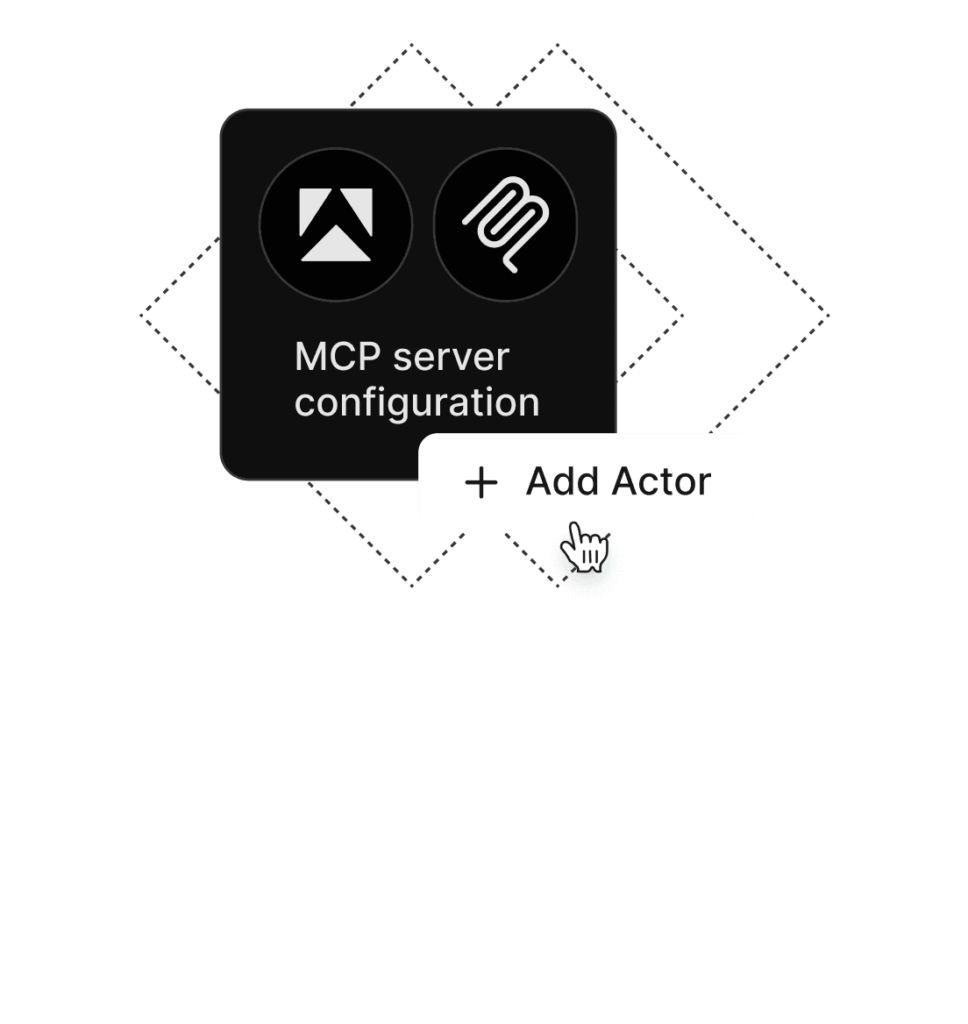
Apify is the largest marketplace of tools for AI, with more than 50,000 pre-built Actors that pull real-time public data from almost any website. For a small marketing team, it automates the parts of the workflow that usually eat hours: monitoring competitor pricing, tracking brand mentions, generating lead lists from LinkedIn or Google Maps, and pulling reviews from Amazon or G2 into a spreadsheet or dashboard. It is not a replacement for an email or CRM tool, but it feeds those tools with fresh data on a schedule, which is exactly why it earns a spot here instead of a platform that treats data collection as an afterthought.
Pros
- Pre-built Actors cover popular sources like LinkedIn, Google Maps, Instagram, TikTok, and Amazon, so most common scraping and data tasks don’t require writing custom code.
- Built-in scheduling, storage, proxies, and anti-blocking keep setup minimal even for a non-technical user.
- Direct integrations with Zapier, Make, n8n, and LangChain pipe extracted data straight into email tools, CRMs, or spreadsheets.
- Any Actor can be exposed as an MCP tool through mcp.apify.com, letting AI agents pull live web data on demand.
- Pay-per-result pricing on many Actors means you only pay for the data you actually extract.
Cons
- There’s a real learning curve for a marketer with no technical background, even with pre-built Actors.
- Apify doesn’t replace an email or social tool, it only supplies the data those tools act on, so most small businesses will pair it with one of the other four platforms on this list.
- Pay-per-result costs can add up unpredictably at scale, harder to budget for than a flat per-seat price.
Pricing
- Free: $0/month, includes $5 in monthly platform credit, plan never expires, no card required.
- Paid plans start at $19/month.
- Many Actors also use pay-per-result pricing, typically between $0.30 and $5 per 1,000 results.
4. RecurPost: A Complete Social Media Management Tool For Marketing Agencies
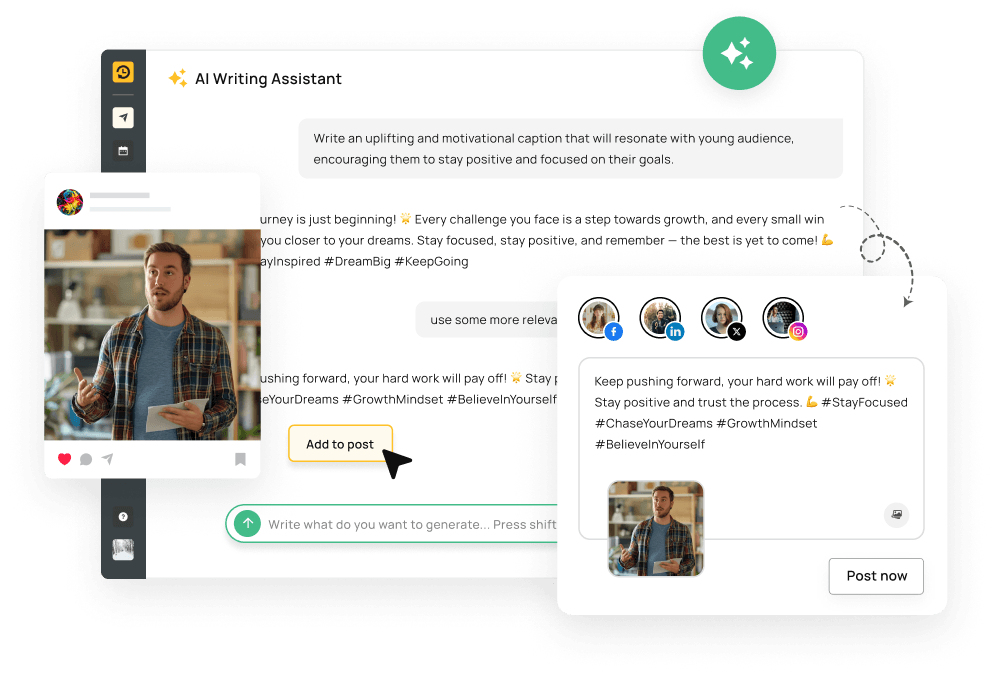
RecurPost is a social media management platform built with agencies and social media managers in mind. It brings content creation, scheduling, bulk publishing, evergreen recycling, client approvals, team collaboration, engagement, analytics, and reporting into one workflow. Agencies can manage multiple client accounts through separate workspaces, onboard clients without password sharing, let clients review and approve content, and handle comments, messages, and reviews from a unified Social Inbox. RecurPost also supports bulk uploads for large content calendars and evergreen libraries that keep proven content in rotation, while white-label reports help agencies deliver branded performance reports to clients.
Pros
- Content bucket recycling means one well-written post can keep generating impressions for months without extra work.
- The entry plan is priced for a truly small operation, not padded with agency features nobody needs yet.
- A visual content calendar makes it easy to see gaps in the posting schedule at a glance.
- AI content generation helps fill the calendar when a small team is short on writing time.
Cons
- The Starter plan covers only 2 social accounts, which isn’t much for a business active on more than two platforms.
- Deeper client management and approval workflows aren’t available below the Agency tier.
- Extra accounts, users, and posting slots each carry their own add-on charge.
Pricing
- Starter: $9/month, 2 social accounts, 1 user, 10 posts per day per account.
- Personal: $25/month, 5 social accounts, 1 user, platform-specific post customization.
- Agency: $79/month, 20 social accounts, 3 users, client workspaces and white-label reporting.
- Enterprise: custom pricing for 100+ accounts.
- Additional social accounts cost $4/month each; extra team members cost $20/month each.
5. Agorapulse: Best for Scheduling and a Shared Social Inbox in One Plan

Agorapulse covers the two things a small social team usually asks for at once: a scheduling calendar and a single inbox where every comment, mention, and direct message across platforms lands in one place. That combination matters more for a small business than it sounds, since it means one person can manage engagement across several channels without switching apps to check each one separately. Plenty of schedulers treat the inbox as an afterthought; Agorapulse doesn’t, and that difference is obvious the first week you use it.
For small teams stretched thin on content, Agorapulse also offers Archie, an AI-powered repurposing tool that turns existing content, like a blog post or a webinar recording, into ready-to-schedule, on-brand social posts. It’s a practical way for a lean marketing team to keep multiple channels active without starting from a blank page every time.
Pros
- The unified social inbox is included in the base plan, not gated behind a higher tier.
- Ten social profiles are included even at the Standard level, which covers most small businesses without an upgrade.
- Basic audience and content reporting comes standard, useful for a small team that needs to show results without a separate analytics tool.
- Ad comment monitoring on the Professional tier catches replies to paid posts that would otherwise go unanswered.
- Archie, the AI content repurposing tool, gives small teams a way to multiply their social content output at no extra cost.
Cons
- The entry price isn’t cheap next to dedicated scheduling-only tools like Recurpost.
- Advanced features such as automated moderation rules and competitor benchmarking aren’t included below the Advanced tier.
- Unlimited social profiles aren’t available without the Custom plan, which needs a sales conversation.
Pricing
- Standard: $79/month ($99/month billed monthly, annual billing saves $240/year), 10 social profiles.
- Professional: $119/month ($149/month billed monthly), adds link in bio and ad comment monitoring.
- Advanced: $149/month ($199/month billed monthly), adds automated moderation rules and competitor benchmarking.
- Custom: tailored pricing, unlimited social profiles, dedicated customer success manager.
6. SendX: Best for Predictable, Unlimited-Send Email Automation
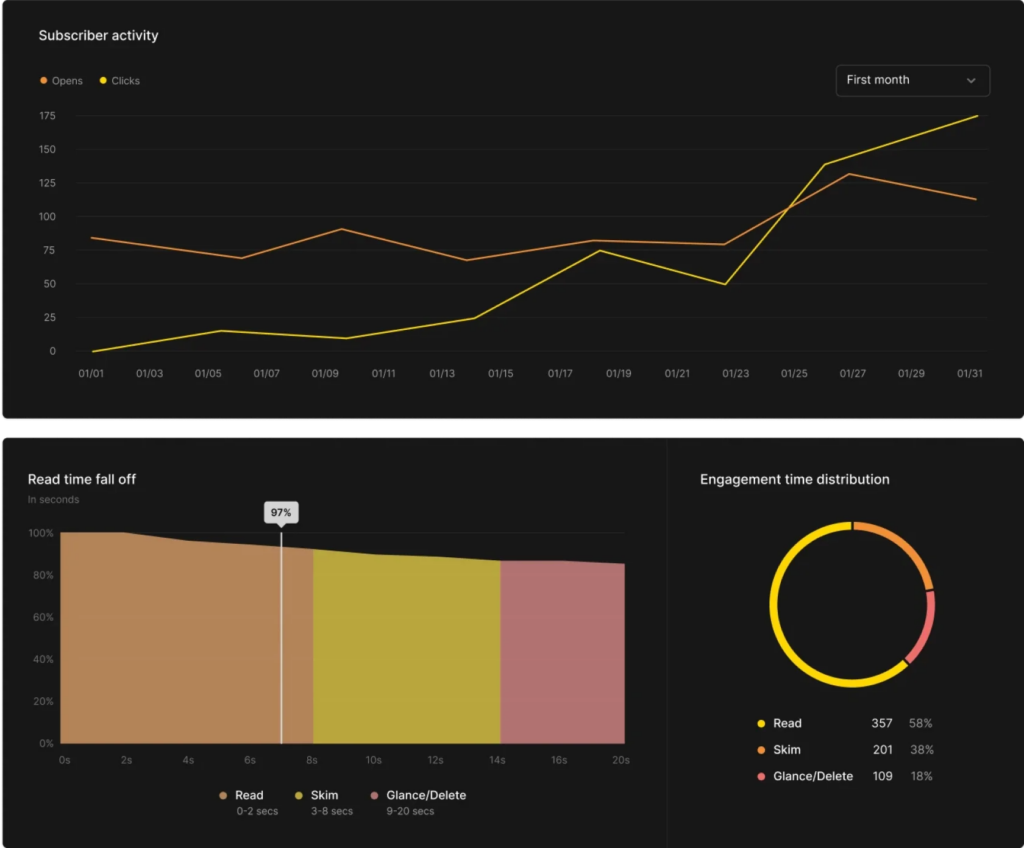
SendX takes a different approach to pricing than most of the email tools on this list: instead of gating automation, A/B testing, or API access behind higher tiers, every plan gets the full feature set and unlimited sends, with the price moving only as your contact count grows. Deliverability is treated as a core product feature rather than an afterthought, with automated reputation monitoring and IP warming behind a stated 95 to 98 percent inbox placement rate, and revenue-attribution analytics tie campaign activity back to actual sales.
Pros
- Every plan includes the same full feature set, visual automation workflows, A/B testing, full API access, with no functionality locked behind a higher tier.
- Unlimited email sends on every plan, so a campaign-heavy month doesn’t trigger an overage charge.
- Deliverability infrastructure, including automated reputation monitoring and IP warming, is built in rather than sold as an add-on.
- 24/7 live chat and email support is included even on the entry plan.
- A 60-day money-back guarantee for accounts under 100,000 contacts and sends lowers the risk of switching from another tool.
Cons
- The single-plan structure means there’s no stripped-down cheaper tier to start on, price rises with contact count regardless of which features you actually use.
- Ecommerce-specific automation, such as dedicated cart recovery flows, isn’t as deep as on ecommerce-first platforms like GetResponse.
- Faster, prioritized support sits behind a separate $225/month Elevated Support add-on rather than being available on the base plan.
Pricing
- Starts at $9.99/month for up to 1,000 contacts, scaling through 15K, 35K, 60K, 100K, 200K, 400K, and 1M contact tiers.
- Annual billing saves 25 percent compared to monthly billing.
- Custom pricing is available for accounts above 500,000 contacts.
- 14-day free trial, no credit card required; 60-day money-back guarantee for accounts under 100,000 contacts and sends.
7. ReferralCandy: Best for Automating Referral and Affiliate Marketing
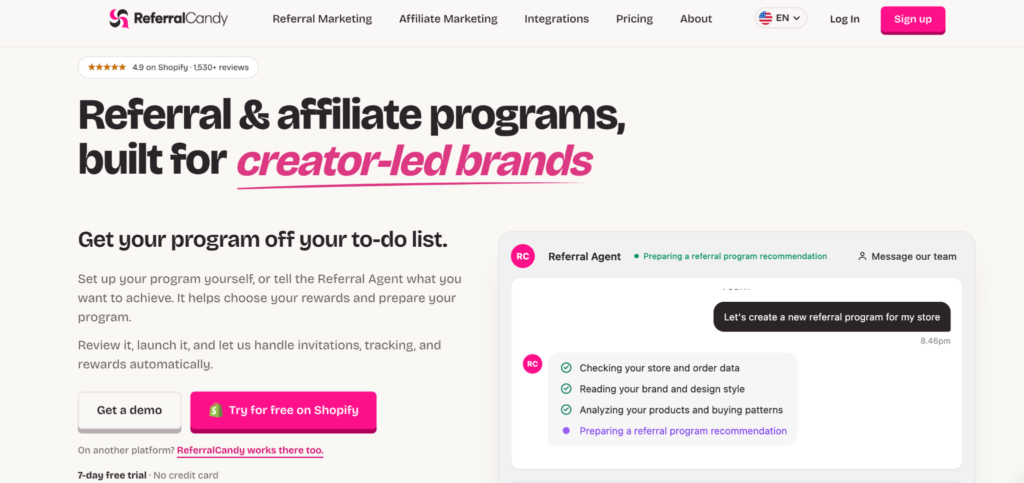
ReferralCandy is a referral and affiliate marketing platform built for ecommerce brands that want customers and partners to bring in new buyers without manually tracking links, coupon codes, commissions, or rewards. It runs referral and affiliate programs from the same dashboard, automatically attributes purchases to the right advocate or affiliate, and triggers rewards once a qualifying sale is verified. For a small ecommerce team, that means word-of-mouth campaigns can keep running in the background without someone maintaining spreadsheets or checking every referred order by hand. ReferralCandy supports Shopify, WooCommerce, BigCommerce, Magento, and custom stores, and connects with tools such as Klaviyo and Google Analytics.
Pros
- Referral and affiliate campaigns run side by side from the same account, so businesses don’t need separate tools for customer referrals and partner programs.
- Unique referral links and coupon codes automatically connect new purchases to the customer or affiliate who generated them.
- Rewards can include cash, store credit, coupons, gift cards, or custom incentives, with different rules for advocates and referred customers.
- Real-time analytics track referral revenue, clicks, commissions, and top-performing advocates or affiliates, while built-in fraud detection helps flag suspicious activity.
- Integrations with ecommerce, email, analytics, and subscription platforms let referral activity feed into the rest of the marketing stack.
Cons
- ReferralCandy is designed specifically for referral and affiliate marketing, so it doesn’t replace an email automation platform, social scheduler, or CRM.
- Pricing includes a percentage-based success fee on top of the monthly subscription, which can become a meaningful cost as referred revenue increases.
- It isn’t a full loyalty platform with points and broader loyalty mechanics, so businesses that want a traditional points program may still need a separate tool.
Pricing
- Basic: $39/month plus a 10.5% success fee.
- Grow: $79/month plus a 3.5% success fee.
- Scale: $249/month plus a 1.5% success fee.
- Enterprise: $799/month plus a 0.25% success fee, with dedicated onboarding and an account manager.
- All plans include unlimited campaigns, custom coupon codes, flexible payouts, integrations, and API access.
- 7-day free trial available.
SlickText: Best for SMS Marketing Automation
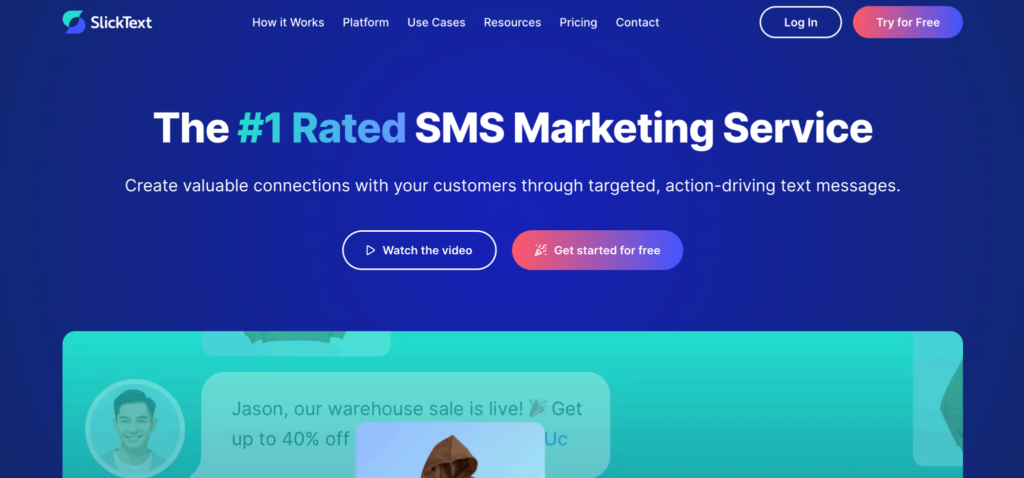
SlickText is an SMS marketing platform built for businesses that want to automate customer communication through text messages rather than email. Its drag-and-drop workflow builder supports multi-step journeys triggered by subscriber behavior, dates, purchases, website activity, and other contact data, making it useful for welcome sequences, abandoned-cart recovery, birthday promotions, review requests, and lead nurturing. Beyond automation, SlickText includes mass texting, audience segmentation, web forms, popups, QR codes, text-to-join keywords, two-way messaging, and revenue attribution in the same platform. Every plan includes the full feature set, so businesses upgrade based primarily on message volume rather than paying to unlock more advanced automation tools.
Pros
- The visual workflow builder supports triggers, conditions, delays, branching, and automated actions without requiring code.
- Every paid plan includes the complete feature set, including workflows, segmentation, campaigns, audience-growth tools, and two-way messaging.
- Built-in opt-in tools include web forms, website popups, QR codes, tap-to-join links, and text-to-join keywords, so businesses can grow an SMS list without a separate lead-capture platform.
- Ecommerce workflows can react to browsing activity, product views, cart status, and purchase behavior, while revenue attribution shows which messages generated sales.
- Unlimited contacts and free incoming texts are included across paid plans rather than increasing the price based on subscriber count.
Cons
- Pricing is based on message credits, so a growing audience or higher campaign frequency can push a business into substantially more expensive tiers even though the feature set stays the same.
- Carrier fees are charged separately from the advertised subscription price, making the final monthly cost somewhat higher than the plan price alone.
- MMS messages consume three credits per segment, so campaigns that regularly use images or other media can burn through the monthly allowance faster than plain SMS campaigns.
Pricing
- Free trial: 14 days with access to every feature, no credit card required.
- 500 credits: $29/month.
- 1,000 credits: $49/month.
- 2,000 credits: $79/month.
- 3,500 credits: $129/month, including one-on-one onboarding.
- 5,000 credits: $169/month.
- 10,000 credits: $319/month.
- Higher-volume plans scale up to 50,000 credits, with enterprise pricing available for larger programs.
- Annual billing includes two months free; carrier fees are charged separately.
Heyeach: Best for Lead generation agencies and sales teams that want to scale personalized LinkedIn and multichannel outreach
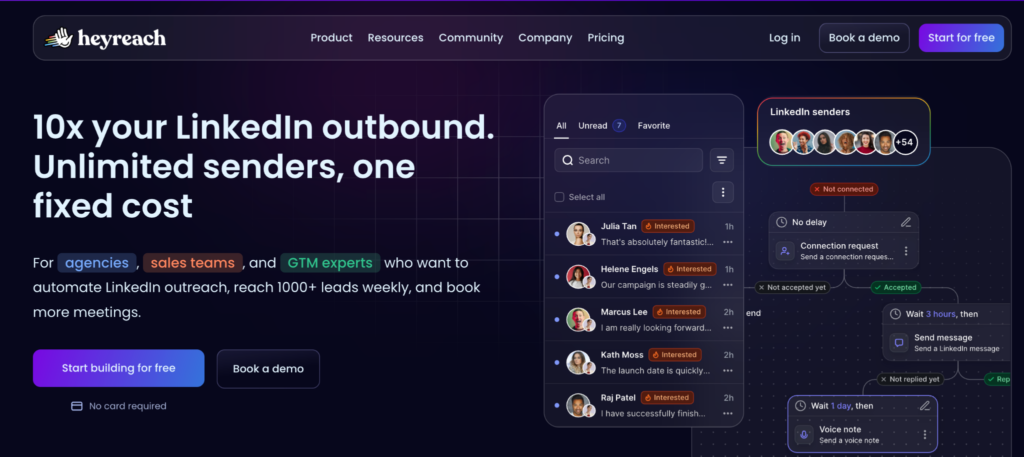
HeyReach is a LinkedIn outreach automation tool built for lead generation agencies and B2B teams that need to run high-volume, personalized campaigns across multiple accounts. It focuses on safety, scale, and unified management and enables businesses to run multi-sender LinkedIn campaigns from a single unified inbox, while keeping accounts safe through built-in daily action limits and geo-matched proxy servers.
Key Features:
- Multi-Channel Personalization – create personalized outreach across LinkedIn and email within a single workflow.
- Multi-Account Rotation – manage and rotate multiple LinkedIn accounts across campaigns, making it easier for agencies and teams to scale outreach.
- Unibox – bring conversations from multiple LinkedIn accounts into one unified inbox, with powerful filtering and management options.
- HeyReach MCP – connect an LLM of your choice and instruct an AI agent to analyze campaign data, clean lead lists, and personalize outreach across tools.
- Workspaces – manage multiple clients from a single login, organize them into separate workspaces, assign team roles and permissions, and use your own proxies.
- Master View & Master Unibox – monitor performance and KPIs across workspaces from one screen and manage conversations without switching between accounts.
- Whitelabeling for agencies – included in HeyReach’s Agency pricing tier, allowing agencies to rebrand the platform for their clients without an additional whitelabeling fee.
Pros:
- Multi-account rotation reduces LinkedIn restriction risk and enables high-volume outreach
- Whitelabeling is included in the Agency tier at no extra cost
- Master Unibox and Master View eliminate switching between accounts
- Flat-fee agency pricing with unlimited sender accounts
- First LinkedIn automation tool with MCP Server integration
- Centralized workspace management with roles and permissions
- Built-in account safety limits aligned with LinkedIn guidelines
Cons:
- Focused primarily on LinkedIn outreach rather than broader sales engagement
Pricing:
- Growth: from $79/month per sender
- Agency: from $999/month for 25 senders
- Unlimited: $2,999/month
What Features Should Marketing Automation Software Have?
The right feature list depends on which of the three categories above you actually need, but a handful of capabilities separate a useful tool from one that’s just another login to check:
- Trigger-based workflows. A real automation platform reacts to an event, a signup, a purchase, a specific date, rather than only sending on a fixed calendar.
- Segmentation. The ability to group contacts or followers by behavior, purchase history, or engagement, so the same message doesn’t go to everyone on the list.
- A visual builder. Whether it’s an email sequence or a social content calendar, a small team benefits from seeing the workflow laid out visually instead of buried in settings menus.
- Reporting tied to outcomes. Open rates and follower counts matter less than whether a workflow actually drove a sale, a reply, or a booked call.
- Integrations with the rest of the stack. An email tool that can’t talk to your ecommerce platform, and a data tool that can’t hand off to your CRM, both create manual work the automation was supposed to remove.
- Room to grow. A tool with a rigid contact cap or a pricing cliff between tiers can force a disruptive migration right when a small business starts gaining traction, and that’s a headache nobody wants mid-launch.
How to Choose the Right Marketing Automation Tool for Your Small Business
Start by naming the actual task, not the category. This part is admittedly the step most buying guides skip. A business drowning in unread email threads needs an email automation tool first. A business with three social accounts and no time to post consistently needs a scheduler like Recurpost or Agorapulse before it needs anything else, and buying an email suite won’t fix that problem. A business spending hours a week manually researching leads or watching competitor prices has a data problem that a tool like Apify solves, separate from whatever it uses to send email.
Next, weigh how much of your business is ecommerce versus general small business communication. A store that lives or dies on cart recovery and product recommendations gets more value from GetResponse’s ecommerce automation layer than from a general-purpose sender. A business owner setting up automated email for the first time, without an ecommerce catalog to promote, often gets there faster with Constant Contact’s simpler workflow builder instead.
Finally, be honest about budget growth, not just the entry price. Several of these tools look inexpensive at a small contact count, social account count, or data volume, and then re-price sharply as usage grows. Check the next tier up, not just the cheapest one, before committing, so the tool you pick today still makes sense a year from now, not just this quarter.
Frequently Asked Questions
Can I use more than one marketing automation tool at the same time?
Yes, most small businesses end up running at least two, typically an email tool alongside a social scheduler, and that combination is normal rather than a sign of a disorganized stack. The tools in this guide are grouped by category specifically because they solve different problems: an email platform clearly won’t schedule your Instagram posts, and a scheduler won’t send a cart recovery email.
Is Apify a marketing automation tool the same way GetResponse or Constant Contact is?
Not in the traditional sense, and it’s worth being frank about that upfront. Apify is a web scraping and data automation platform, not an email or social marketing tool, and it doesn’t send campaigns on its own. Its place in a small business marketing stack is supplying the fresh lead lists, pricing data, or contact information that an email or CRM platform then acts on.
How much should a small business budget for marketing automation software each month?
A small business running one focused tool, such as an email platform on its entry tier, can reasonably budget $10 to $50 a month at a small list size. Combining an email tool with a social scheduler typically lands between $30 and $150 a month once both entry-tier plans are added together, and costs won’t stay flat, they climb as contact counts, social accounts, or send volume grow.
Do I need social media scheduling automation if I already use email automation?
It depends on how many channels your business actually posts to and how consistently you can do it manually. A business posting to one or two platforms a few times a week can often manage without a dedicated scheduler, but a team covering three or more channels usually can’t keep that consistency without a tool like Recurpost or Agorapulse handling the calendar.
What’s the real difference between a free plan and a paid entry plan on these tools?
Free plans generally cap the contact count, data credits, or number of connected accounts low enough to test the platform but not run a real campaign at scale, while the paid entry tier removes that ceiling and usually unlocks automation features the free plan doesn’t include at all. GetResponse and Apify both offer a usable free tier or trial for testing, but each one gates real automation depth or data volume behind a paid plan once a business is ready to grow.