

















6 Must-Have Cybersecurity & Safety Tools Every Digital Household Needs
Picture a typical evening at home: one kid is streaming videos on a tablet, another is gaming on a shared laptop, a smart speaker is listening in the kitchen, and someone’s paying bills on a phone connected to the same Wi-Fi as all of it. Every one of those devices is a potential entry point for a hacker, a phishing scam, or — for the younger members of the household — content and contacts you’d rather they not stumble into.
This isn’t a hypothetical concern; it’s a fast-growing market. According to Gartner, worldwide end-user spending on information security is projected to reach $248.9 billion in 2026, up more than 12% from 2025, and is on track to climb to $372.6 billion by 2030 as threats grow more sophisticated and AI enters the picture on both sides of the fight. That spending isn’t confined to corporate IT departments, either. Industry estimates put the average U.S. household at somewhere between 17 and 25 connected devices on its home network today — roughly double what was typical just five years ago — which means the kind of “attack surface” security teams used to worry about for an entire company now sits inside nearly every living room.
Home cybersecurity used to mean “install antivirus and don’t click weird links.” That’s no longer enough.
What Are Cybersecurity Tools?
Cybersecurity tools are software or hardware built to protect devices, accounts, and data from unauthorized access, theft, or damage — everything from a password manager that locks down your logins to a firewall that filters malicious traffic before it ever reaches your network. In a household setting, that definition stretches a little further than it would in a corporate IT department. Alongside pure security tools, families also rely on what’s better described as digital safety tools: apps built to protect people rather than data, like real-time location sharing and screen-time management for kids.
Broadly, the tools in this space fall into a few functional buckets:
- Preventive tools that stop a problem before it happens — password managers, VPNs, secure routers
- Detective tools that catch a problem already underway — antivirus and anti-malware software
- Recovery tools that undo the damage after something goes wrong — cloud backup
- People-focused tools aimed at family safety rather than data security — family locators and parental controls
Most households don’t need every category running at maximum strength. Understanding what each type actually does, though, is the first step to building a security stack that fits your family instead of copying someone else’s setup wholesale.
Types of Cybersecurity & Safety Tools
A household’s security stack is really made up of a handful of distinct tool categories, each solving a different piece of the puzzle. Here’s a quick look at the six covered in this guide, and why each one earns its place on the list:
- Antivirus & Anti-Malware Software — catch and remove malicious software before, or after, it does damage
- Family Locator & Parental Control Apps — track family members’ locations and manage what kids can access online
- Password Managers — generate and store unique passwords so no account depends on a password reused somewhere else
- Virtual Private Networks (VPNs) — encrypt your traffic and mask your location, especially on public Wi-Fi
- Secure Routers & Network Protection — lock down the one device every other device in your home connects through
- Cloud Backup & Data Recovery — keep an off-site copy of your data so a breach or hardware failure isn’t catastrophic
Below, we break down three real options in each category — what they do well, where they fall short, and who they’re the best fit for. Pricing on subscription software changes often and varies by region and promotion, so treat every number here as a general reference point and confirm current pricing before you buy.
1. Antivirus & Anti-Malware Software
Built-in operating system protections have gotten better, but dedicated antivirus software still catches more, especially newer ransomware, phishing sites, and behavior-based threats that signature-only defenses miss. For a household, look for real-time protection (not just on-demand scanning), coverage across every device type your family actually uses, and a manageable renewal price.
#1 Mackeeper
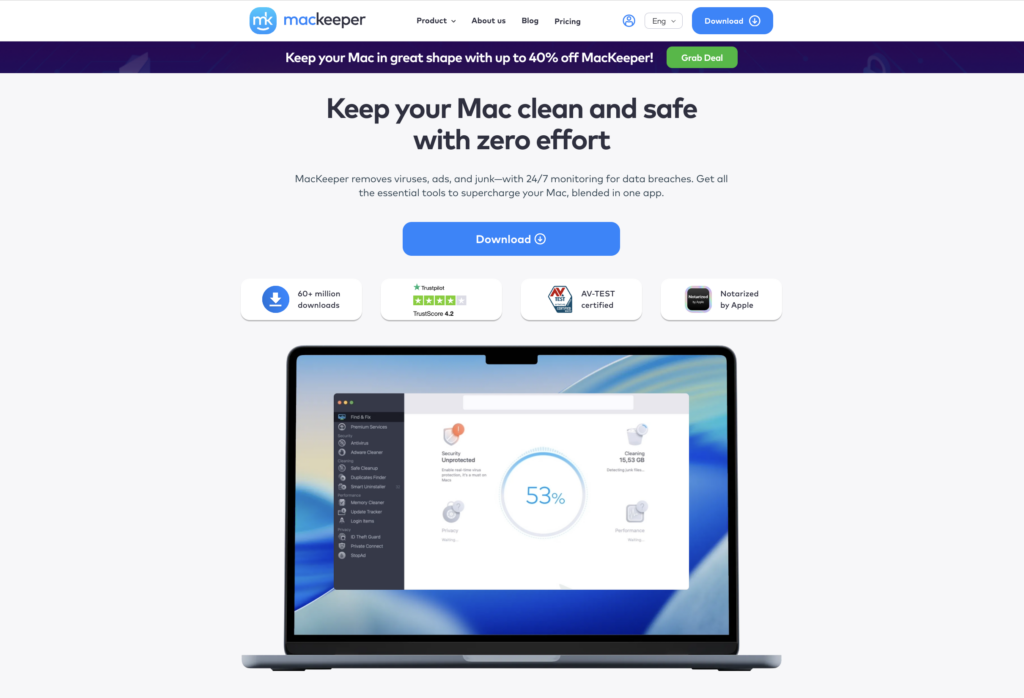
MacKeeper is a Mac maintenance and security utility that combines antivirus protection with cleanup and privacy tools in a single app.
Pros:
- Combines Mac security and maintenance features in one application
- Includes privacy features to protect personal information and detect potential data leaks
- Can identify unnecessary files that may be taking up storage space
- VPN with various location servers included in any plan
Cons:
- Most of its features require a paid subscription
- Mac only, with no Windows, Android, or iOS coverage
- The ad blocker works through browser extensions rather than system-wide
#2 Bitdefender
Bitdefender consistently posts some of the highest scores in independent lab testing (AV-Test, AV-Comparatives, SE Labs) for both malware detection and low system impact, which matters for households running older laptops.

Total Security covers Windows, macOS, Android, and iOS under one multi-device license and layers in a firewall, webcam/microphone protection, parental controls, and a limited-data VPN on top of core real-time and behavioral threat detection. Like most antivirus subscriptions, the first-year price is heavily discounted and renewal jumps substantially — sometimes doubling — so it’s worth marking the renewal date on a calendar.
Pros:
- Top-tier independent lab scores for detection with minimal performance drag
- Cross-platform coverage (Windows, Mac, Android, iOS) on one license
- Includes a firewall, webcam protection, and parental controls, not just malware scanning
- Reasonable multi-device pricing for families
Cons:
- Renewal price increases significantly after the discounted first year
- Bundled VPN is data-capped unless you upgrade to a higher tier
- Frequent upsell prompts for higher-tier products
#3 Malwarebytes
Malwarebytes built its reputation as the tool people install after something else already failed to catch an infection, and Premium turns that reputation into always-on protection: real-time scanning, exploit prevention, and ransomware protection layered on top of its well-known on-demand scanner.
Its higher Plus tier now bundles a genuinely capable, uncapped VPN built on WireGuard, following Malwarebytes’ acquisition of AzireVPN’s infrastructure — a meaningful upgrade over the token VPN allowances many antivirus suites include. Independent lab results have been mixed on false positives in recent testing, so it’s worth pairing with your own judgment rather than treating every flagged file as a confirmed threat.
Pros:
- Reputation for catching threats that traditional antivirus engines miss
- Lightweight footprint with minimal system slowdown
- Plus tier includes a full, uncapped VPN rather than a token allowance
- Straightforward, uncluttered interface
Cons:
- Recent independent tests showed a higher-than-average false-positive rate
- Ultimate tier’s renewal price increase is especially steep
- Fewer bundled extras (no dedicated parental controls) compared to Bitdefender
2. Family Locator & Parental Control Apps
This category is often lumped together as “parental controls,” but HeyPolo, Life360 and FamiSafe actually cover two related, distinct jobs: knowing where your family is (real-time location sharing) and managing what your kids can access and how long they spend on a screen (content filtering and time limits). Most households end up wanting some blend of both, which is why we’re grouping them here rather than treating them as pure content filters.
#1 HeyPolo
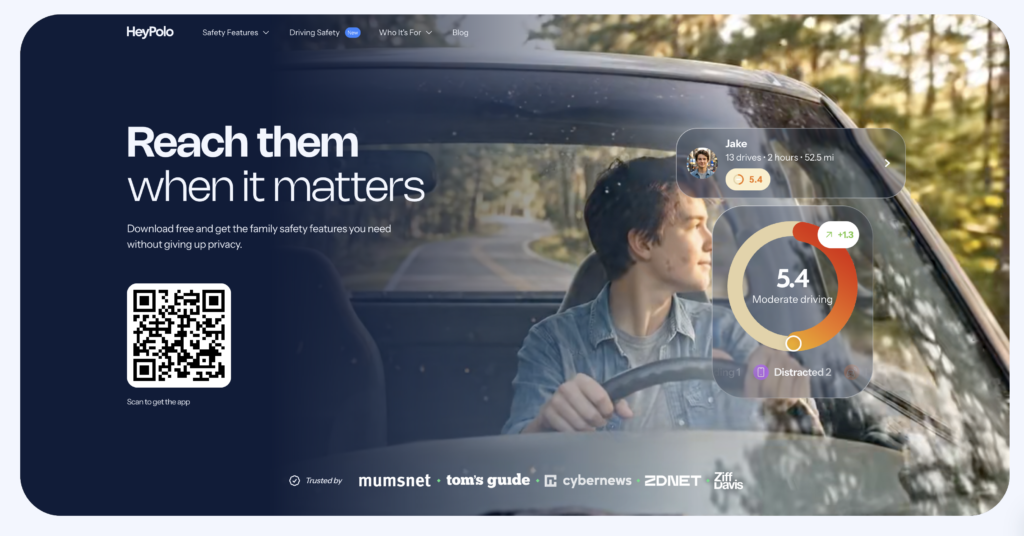
HeyPolo takes a different starting point than most family locator apps: it builds from consent rather than surveillance, meaning every family member explicitly agrees to share their location (and how precise that location is) before anyone can see it. No hidden monitoring of texts, calls, or app activity – some competitors quietly bundle in – and data isn’t sold to 3rd party vendors. Built by the team behind Surfshark, one of the better-known names in consumer privacy tools, HeyPolo brings that same privacy-first engineering to family safety rather than network encryption.
Beyond real-time and group location sharing, HeyPolo covers driving safety with crash detection, a personal and group driving score, trip replay, and speed alerts that flag risky driving without framing it as tracking a teenager’s every move. Weather alerts round out the safety layer, giving parents a heads-up when severe conditions or a disaster happens near a family member’s location. It’s built for the full range of a family’s location-sharing needs, from a kid’s first phone through new teen drivers, and extends to adult children keeping an eye on aging parents prone to wandering.
Pros:
- Consent-first design, no covert tracking or hidden activity monitoring
- Driving safety suite (crash detection, driving scores, trip replay, speed alerts) goes further than most location-sharing apps
- Backed by Surfshark’s privacy engineering pedigree
- Covers a wide range of family situations, not just parents and kids
Cons:
- Newer to the family safety space, so less brand recognition than more established competitors
- No content filtering or screen-time management, purely location and driving safety
- Fewer public reviews and long-term user feedback to draw on so far
#2 Life360
Life360 is built around real-time location sharing for a family “Circle” rather than device-level content filtering.

Free members get basic location sharing with a 2-day history window and up to 2 saved Places; paid tiers extend history up to 30 days, add unlimited Places, driving reports that flag speeding or phone use behind the wheel, crash detection, and — on the top tier — roadside assistance and stolen-fund reimbursement. Notably, pricing covers the entire family Circle rather than charging per person, which makes it more affordable than it first appears for larger households. It’s a strong pick for peace-of-mind location tracking, especially with teen drivers in the house, but it won’t filter what your kids see online.
Pros:
- Pricing covers the whole family circle, not per member
- Driving reports and crash detection add real safety value for teen drivers
- Simple, well-designed app most family members will actually use
- Roadside assistance bundled into the top tier
Cons:
- Free tier’s 2-day location history is quite limiting
- No content filtering or screen-time management — purely location and driving safety
- Fully featured paid tiers can add up if you want everything unlocked
#3 FamiSafe
FamiSafe is the most traditional “parental control” app of the three, combining location tracking with actual content management: screen time limits, app blocking, website filtering by category, and monitoring of platforms like YouTube and TikTok.
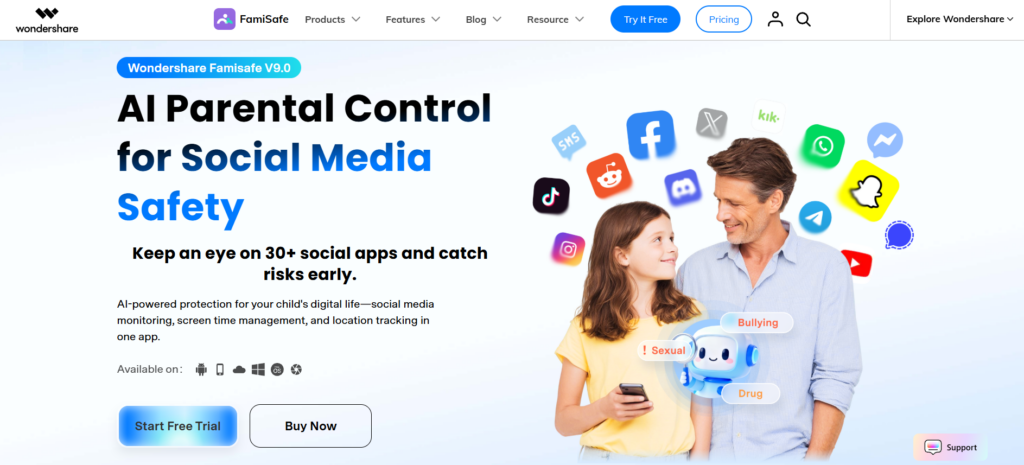
It supports Android, iOS, Windows, macOS, and ChromeOS, though — as with most parental control apps — its capabilities are noticeably more limited on iOS due to Apple’s platform restrictions. Reviewers generally rate it as affordable and comprehensive, while flagging that web filtering can require more manual configuration than competitors and that social-app monitoring doesn’t always work as advertised.
Pros:
- Combines location tracking with genuine content filtering and screen-time controls
- Competitive pricing, especially on annual plans covering unlimited devices
- Works across the widest range of platforms of the three
- Dedicated school/education plans for larger deployments
Cons:
- Significantly reduced functionality on iOS due to Apple’s restrictions
- Web filtering setup takes more manual effort than some competitors
- Renewal pricing isn’t always clearly disclosed upfront
- Social media and video-platform monitoring can be inconsistent
3. Password Managers
The single most common cause of account takeovers is still password reuse — one breached login at a company you barely remember signing up for, reused on your email or bank account, and suddenly the damage spreads. A password manager generates and stores a unique, complex password for every account and fills it in automatically, so no one in your household has to remember (or reuse) anything.
#1 1Password
1Password remains one of the most polished password managers for families who want strong security without a steep learning curve. Beyond generating and storing unique passwords, it supports native passkeys, Travel Mode (which temporarily hides sensitive vaults when crossing borders), and Watchtower, a feature that flags weak, reused, or breached credentials before they become a problem.
The Families plan bundles individual private vaults for each member alongside shared vaults for household logins like streaming services or the Wi-Fi password, plus an account-recovery dashboard so a forgotten master password doesn’t permanently lock someone out. It typically costs a few dollars a month for the whole family, though renewal pricing can climb after the first year — worth checking before you commit long-term.
Pros:
- Clean, intuitive apps across every platform — easy for less tech-savvy family members
- Built-in passkey support and Watchtower breach monitoring
- Family plan includes shared vaults and a recovery dashboard for forgotten passwords
- Undergoes regular independent security audits
Cons:
- Costs more than open-source alternatives like Bitwarden
- No permanently free tier, only a limited trial
- Some advanced features (like Travel Mode) go unused by casual households
#2 Bitwarden
Bitwarden is the go-to pick for households that want strong password security without paying for it.

Its free tier is genuinely unlimited — unlimited passwords, unlimited devices, one user — which is rare in this category, and the entire codebase is open source, meaning independent researchers can (and do) audit it. Upgrading to Premium adds TOTP-based two-factor code generation inside the vault itself, encrypted file attachments, and emergency access for a trusted contact, while the Families plan extends shared and individual vaults to multiple members under one low-cost subscription. Bitwarden did raise its Premium and Families pricing in 2026 after roughly a decade of stability, so it’s no longer the rock-bottom option it once was, but it still undercuts 1Password and Dashlane by a comfortable margin.
Pros:
- Best free plan in the category — unlimited passwords and devices at no cost
- Fully open-source and independently auditable
- Premium and Families plans remain cheaper than most competitors
- Self-hosting option available for technically inclined households
Cons:
- Interface feels less refined than 1Password or Dashlane
- Recent price increase, though it’s still budget-friendly overall
- Sharing and permission workflows can feel clunkier for non-technical family members
#3 Dashlane
Dashlane positions itself as an all-in-one privacy subscription rather than a bare-bones password vault. Along with password generation and storage, paid plans bundle a built-in VPN, dark web monitoring, and — on higher tiers — identity theft insurance and restoration services, which is useful for families who’d rather consolidate subscriptions than juggle separate apps.
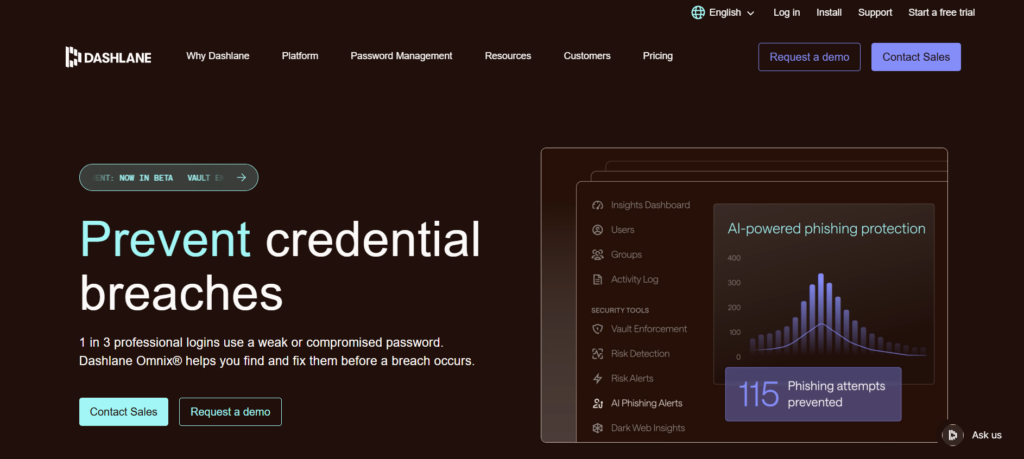
The trade-off is cost: Dashlane is consistently the most expensive of the major password managers over a multi-year period, sometimes by a wide margin compared to Bitwarden. Families who specifically want a bundled VPN and identity protection may find that worth it; those who just need solid password management may be paying for features they’ll never touch.
Pros:
- Includes a built-in VPN and dark web monitoring in paid plans
- Higher tiers add identity theft insurance and restoration support
- Friends & Family plan covers multiple members under one subscription
- Clean, guided setup that’s friendly to beginners
Cons:
- The most expensive of the three options over time
- Bundled VPN is generally less capable than a dedicated standalone VPN
- Free tier is far more limited than Bitwarden’s
4. Virtual Private Networks (VPNs)
A VPN encrypts your internet traffic and routes it through a server operated by the VPN provider, which matters most on public Wi-Fi (coffee shops, airports, hotels) where anyone else on the network could otherwise snoop on unencrypted traffic. It also masks your IP address from the sites you visit. For a household, look for a plan that covers enough simultaneous devices for everyone, plus a no-logs policy that’s actually been independently verified.
#1 NordVPN
NordVPN is one of the largest and most recognizable consumer VPNs, and for good reason: it runs thousands of servers across well over a hundred countries, supports up to 10 simultaneous device connections on its base plan, and has had its no-logs policy independently audited multiple times, most recently by Deloitte.

Beyond the core VPN, its higher tiers bundle a password manager, a data-breach scanner, and encrypted cloud storage, turning a single subscription into a broader security suite. Pricing follows the industry-standard pattern of steep multi-year discounts with much higher renewal rates, so the rate you sign up at usually isn’t what you’ll pay long-term — check the renewal price before committing.
Pros:
- Large, fast server network with strong streaming-unblocking performance
- Independently audited no-logs policy
- Higher tiers bundle a password manager and cloud storage
- Threat Protection feature blocks malicious sites and trackers even when the VPN is off
Cons:
- Pricier than budget competitors on a per-month basis
- Advertised low prices apply to long-term (1–2 year) plans; renewal rates jump significantly
- Top-tier bundle can be overkill for households that just want a VPN
#2 ExpressVPN
ExpressVPN has traditionally been priced at a premium, but a 2026 pricing overhaul brought its entry-level Basic plan much closer to competitors like NordVPN.
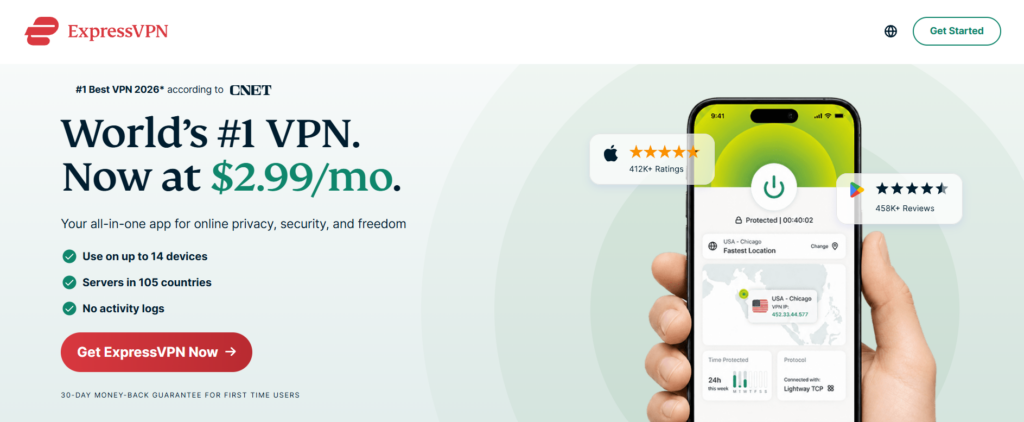
It’s built around ExpressVPN’s own Lightway protocol, optimized for speed without sacrificing encryption strength, and the apps are consistently rated among the easiest to use for non-technical family members. Higher tiers (Advanced and Pro) add a password manager, ad/tracker blocking, identity monitoring, and limited eSIM travel data — useful for a family that travels internationally. Device limits scale with plan tier, from 10 devices on Basic up to 14 on Pro.
Pros:
- Excellent balance of speed and security via the proprietary Lightway protocol
- Very easy-to-use apps across platforms, a good pick for less technical households
- 30-day money-back guarantee on all plans, plus a mobile-only 7-day free trial
- Higher tiers bundle a password manager and identity monitoring
Cons:
- Historically the most expensive mainstream VPN, and monthly pricing is still steep
- Fewer simultaneous connections on the Basic tier than some competitors
- No standalone free plan to try before buying
#3 Proton VPN
Proton VPN stands out for two things: a genuinely usable free tier (unlimited data, no ads, no logging of activity) and its Swiss privacy jurisdiction, courtesy of the same company behind Proton Mail.
The paid VPN Plus tier unlocks the full server network, Secure Core multi-hop routing that passes traffic through privacy-friendly countries before it exits to the internet, and a NetShield ad/malware blocker. Its open-source, independently audited apps appeal to privacy-conscious households, though its non-discounted monthly price is one of the higher ones in the category, so it rewards committing to a one- or two-year plan.
Pros:
- Rare free plan that’s actually usable long-term, with unlimited data
- Open-source apps with independent audits and Swiss jurisdiction
- Secure Core multi-hop routing adds an extra layer of privacy
- Strong performance and streaming support even without a dedicated IP
Cons:
- Monthly, no-commitment pricing is notably higher than competitors
- No dedicated static IP option, which some remote workers need
- Free tier is capped to a handful of country locations
5. Secure Routers & Network Protection
Every device in your home connects through one router, which makes it either your strongest choke point or your biggest weak spot. At minimum, change default admin credentials, keep firmware updated, and put smart-home gadgets and guest devices on a separate network from your everyday devices. Beyond that baseline, these three approaches cover a range of convenience and control.
#1 eero (with eero Plus)
Amazon’s eero mesh systems are popular for a reason: setup takes minutes through the app, coverage for multi-room homes is reliable, and automatic firmware updates mean most households never think about router maintenance again.
The catch is that eero’s more meaningful security features — advanced threat protection, ad blocking, and a built-in VPN — sit behind the eero Plus subscription rather than shipping free with the hardware, which is a real ongoing cost some competitors don’t charge. Still, for a family that just wants dependable whole-home Wi-Fi with an easy on-ramp to better security, eero remains one of the simplest options on the market.
Pros:
- Very easy setup and app-based management, ideal for non-technical households
- Reliable mesh coverage for larger or multi-story homes
- Automatic security updates with no manual firmware management
- eero Plus adds password manager and malware-protection integrations for an extra layer
Cons:
- Core security features require an ongoing eero Plus subscription
- Some competitors include comparable protection for free with the hardware
- Advanced networking controls are more limited than prosumer routers
#2 ASUS Routers with AiProtection
ASUS takes the opposite approach from eero: AiProtection, its network security suite built on Trend Micro’s threat intelligence, is included free for the life of the router on most ASUS Wi-Fi 6 and newer models — no subscription required. It covers real-time malicious-site blocking, infected-device quarantine, a one-tap vulnerability scan of your own network settings, and, on Pro-capable models, two-way intrusion prevention against ransomware and DDoS attempts.
Layered on top is a full parental-control suite with content filtering and time scheduling, plus Instant Guard, a built-in VPN for securing your phone on public Wi-Fi while traveling. For households that want commercial-grade protection without a recurring router-security bill, this is hard to beat.
Pros:
- AiProtection’s core features are genuinely free for the router’s lifetime, unlike some competitors
- Two-way intrusion prevention and vulnerability scanning on Pro-capable models
- Built-in parental controls and content filtering at no extra cost
- Instant Guard VPN protects devices on public Wi-Fi while traveling
Cons:
- ASUS router hardware itself often costs more upfront than basic mesh units
- Interface feels more technical than eero’s simplified app
- Feature availability varies by specific router model, so check before buying
#3 Firewalla
Firewalla is a step up in both capability and complexity: a dedicated network security appliance that sits between your modem and router (or replaces the router entirely on some models) to give commercial-grade intrusion detection and prevention, per-device traffic visibility, and ad/tracker blocking — all processed locally on the box rather than in the cloud.

Entry-level units are priced as a one-time hardware purchase with no required subscription for core features, which stands out in a category full of recurring fees. It’s the right choice for a household that wants to actually see which smart-home gadget is quietly phoning home overnight, but it does ask more of whoever sets it up than a plug-and-play mesh system would.
Pros:
- One-time hardware cost with no subscription required for core protection
- Per-device network monitoring reveals exactly what each smart-home gadget is doing
- Local processing keeps your traffic data off third-party cloud servers
- Enterprise-grade intrusion detection and prevention in a home-friendly box
Cons:
- Requires more networking knowledge to configure than a standard mesh router
- On some models it pairs with your existing router rather than replacing it and broadcasting Wi-Fi itself
- Optional cloud management portal still ties some functionality to Firewalla’s servers
- Higher upfront cost than a basic consumer router, even without a subscription
6. Cloud Backup & Data Recovery
Antivirus and firewalls reduce the odds of an attack; backup is what saves you when something still gets through — ransomware, a dead hard drive, or someone accidentally deleting the family photo library. The classic 3-2-1 rule still applies: three copies of important data, on two different types of media, with one copy stored off-site (which a cloud backup handles automatically).
#1 Backblaze
Backblaze built its entire pricing model around a simple promise: one flat annual fee per computer buys truly unlimited backup storage, with no caps to track.
It runs continuously in the background once installed, automatically backing up every file on your drive (with some default exclusions like system files and applications), and if disaster strikes, you can restore via download or pay for a physical hard drive shipped to your door. For a single family computer with a large, ever-growing library of photos and videos, it’s often the simplest and most predictable option — the tradeoff is that pricing is per computer, so a household with many devices will pay more than with a shared-storage competitor.
Pros:
- Genuinely unlimited storage per computer for a flat annual fee
- Simple “set it and forget it” automatic backup
- Physical drive restore option for large data sets that would take weeks to download
- “Locate my computer” feature helps track a lost or stolen device
Cons:
- Pricing is per computer, which adds up fast for multi-device households
- Doesn’t back up phones or tablets directly the way some competitors do
- No user-held private encryption key — Backblaze could technically decrypt data if compelled to
#2 IDrive
IDrive flips Backblaze’s model: instead of unlimited storage per computer, you get a fixed storage pool (say, 5TB) that stretches across every device in the household — desktops, laptops, phones, and tablets — under one subscription.
For a family with a mix of device types, that often works out cheaper and simpler to manage than paying per computer. It also supports a user-defined private encryption key, meaning IDrive itself can’t decrypt your data if you enable it — a meaningful privacy edge over some competitors. The tradeoff is that if you exceed your storage allotment, overage fees apply, so households with very large media libraries need to size their plan carefully.
Pros:
- One storage pool covers unlimited device types, ideal for mixed-device households
- Optional private encryption key that even IDrive can’t access
- Physical drive restore service available for large restores
- Often cheaper than per-computer pricing for multi-device families
Cons:
- Fixed storage cap means overage fees if you exceed your plan
- First-year promotional pricing rises noticeably at renewal
- More configuration options can feel overwhelming for less technical users
#3 Google One
For many households, Google One isn’t a dedicated “backup” tool so much as the storage plan that already sits under Gmail, Google Photos, and Google Drive — which is exactly its appeal. If your family already lives in Google’s ecosystem, upgrading storage automatically extends backup-like protection to photos, documents, and phone data synced through Google Photos and Drive, and family sharing lets multiple members split one storage pool.

Recent plans have folded in Gemini AI features and a VPN on higher tiers, which adds value for some households and unnecessary complexity for others. The important caveat: this is continuous sync and storage, not point-in-time versioned backup the way Backblaze or IDrive work, so it’s a good complement to — not necessarily a full replacement for — a dedicated backup tool for truly irreplaceable files.
Pros:
- Extends storage already used by Gmail, Photos, and Drive — no new app to learn
- Family sharing splits one plan across multiple members
- Affordable entry-level tiers for a household that just needs more Photos/Drive space
- Higher tiers now bundle Gemini AI features and a VPN
Cons:
- Sync-based storage isn’t the same as versioned, point-in-time backup
- Pricing and plan names have grown more confusing as AI features get bundled in
- Less useful for a household that isn’t already centered on Google services
Conclusion
No single tool on this list is a silver bullet, and that’s the point — a password manager doesn’t stop malware, antivirus doesn’t back up your files, and a VPN doesn’t know where your teenager’s phone is at 11 p.m. Real household security comes from layering a few of these together, matched to what your family actually needs rather than every tool on the market.
If you’re starting from zero, don’t try to roll out all six categories in one weekend. Pick the single biggest gap in your current setup — often a shared or reused password, or a router still running its default admin login — and close that first. Then work outward from there. A household that’s audited and improved even two or three of these categories is meaningfully safer than one running on default settings and hope.